Engineering HUB
Engineering HUB gives your organisation one controlled place for the latest approved way of working.
It brings together the procedures, templates, checklists, guidance pages, and key registers your teams use every day, helping standardise delivery across projects, disciplines, and teams.
Instead of keeping procedures in shared drives, templates in personal folders, guidance in emails, and checklists across separate project areas, the HUB keeps essential working content together in one clear, controlled structure.
The HUB runs within the client’s existing Microsoft 365 / SharePoint Online environment. Existing licences, security controls, retention policies, and backup arrangements remain in place, with no additional effort required. Standard SharePoint controls such as role-based access, version history, and publishing or approval control can also be used where needed. No new software and no third-party plugins are required.
If optional planning features such as Portfolio or Roadmap are included, premium planning capabilities in Microsoft Planner may be required only for the relevant users.
What Engineering HUB is
Engineering HUB is your organisation’s internal playbook for how work is delivered.
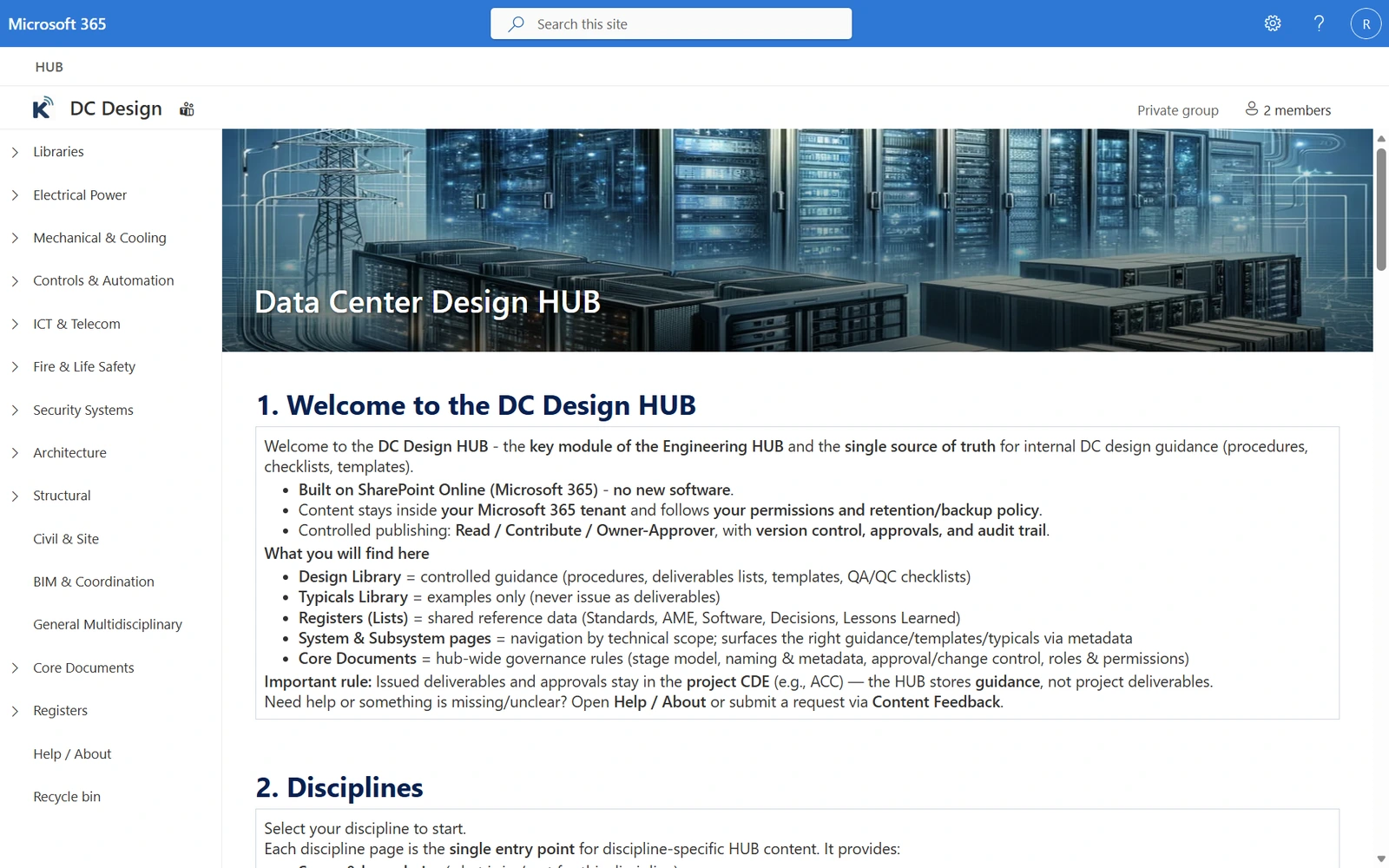
It is a structured SharePoint Online environment that brings together the working content your teams use every day to deliver projects in a consistent and controlled way. This includes:
- procedures
- templates
- checklists
- guidance pages
- reference examples
- readiness and stage-gate content
- shared registers for key control items
In simple terms, Engineering HUB gives your organisation one agreed place to find the latest approved way of working, so teams can work from the same up-to-date content and deliver in a more standardised, consistent, and repeatable way.
Why organisations need it
Most organisations already have useful working content. The real problem is that it is spread across too many places and managed in different ways.
Procedures may sit in shared drives. Templates may sit in personal folders. Checklists may sit in project areas. Guidance may sit in emails or old SharePoint pages. Important knowledge is often buried in old project folders, past submission packs, and historical records.
This creates:
- version confusion
- inconsistent quality checks
- unclear ownership
- repeated mistakes
- wasted time searching for the right information
Engineering HUB fixes this by bringing approved working content into one controlled place with clear ownership, controlled publishing, and a simple structure that makes content easier to find, easier to reuse, and easier to improve over time.
Instead of different teams working from different folders, local copies, or outdated versions of the same document, everyone works from one agreed, up-to-date source of truth.
It also helps you see what is missing
When working content is brought together and organised in a consistent way, gaps become much easier to see.
Teams can clearly identify:
- missing procedures or checklists
- duplicated templates
- outdated guidance
- unclear ownership
- repeated delivery problems that need to be properly addressed
This gives the organisation a clear view of where improvement is needed, without forcing teams to start from zero.
The first stage can use existing approved content wherever possible, while making missing, duplicated, outdated, or unclear items easier to identify and improve over time.
Built for continuous improvement
Engineering HUB is designed to improve over time as teams use it in real work.
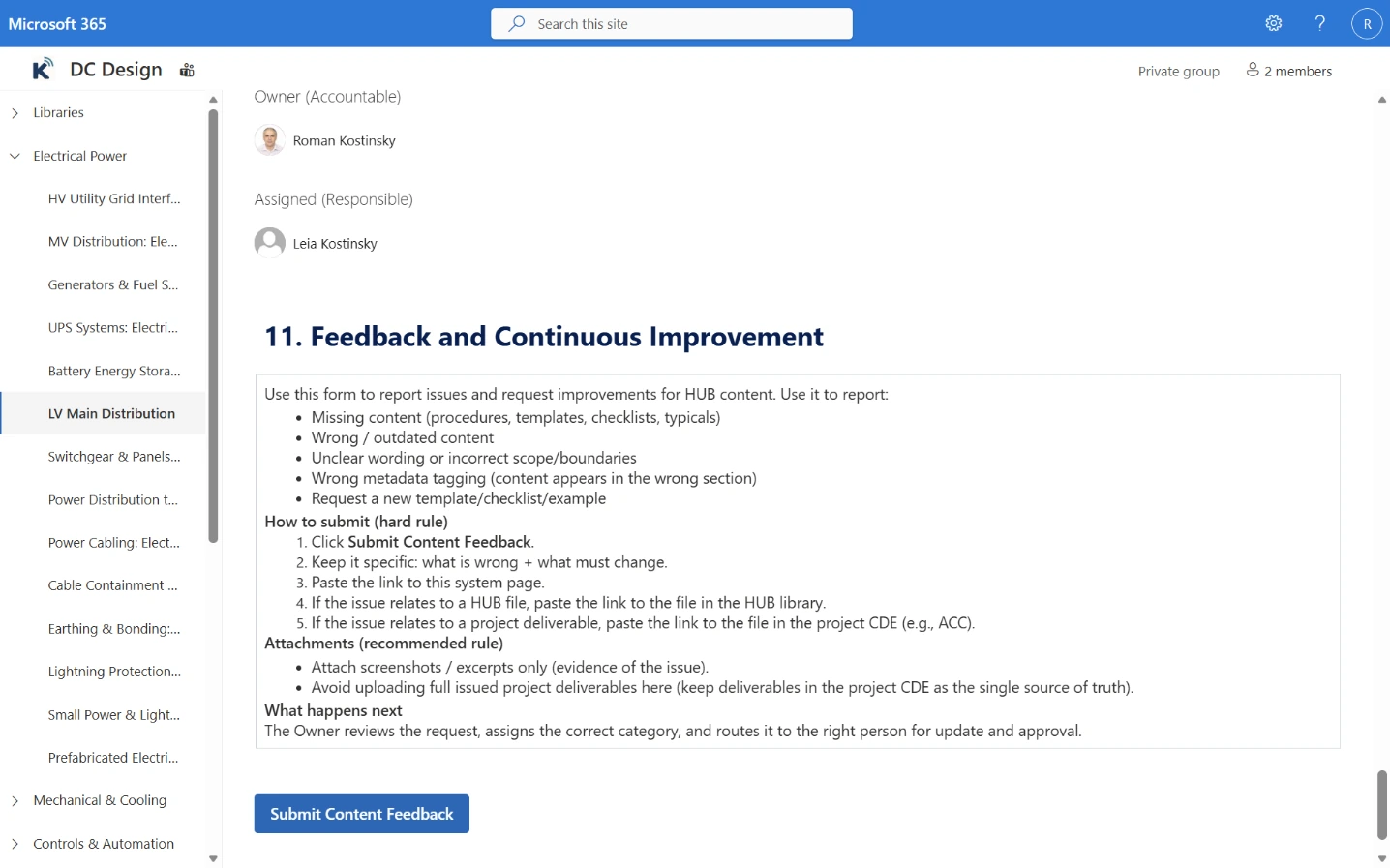
A simple feedback option allows users to highlight missing content, outdated guidance, unclear instructions, duplicated items, and other improvement points. This helps keep the HUB practical, relevant, and aligned with how work is actually delivered.
Instead of problems staying hidden in emails or local notes, feedback can be captured, reviewed, and used to improve content in a controlled way over time.
Clear boundary: Engineering HUB is not the Project CDE
This distinction is important and should remain clear.
Engineering HUB does not replace the Project CDE.
Issued deliverables, formal client submissions, models, records, and contractual documents remain in the Project CDE, whether that is ACC, BIM 360, Dalux, Aconex, or another client-approved environment.
Engineering HUB governs the internal playbook — the procedures, templates, checklists, guidance pages, reference examples, and registers that guide how teams work.
- procedures
- templates
- checklists
- guidance pages
- reference examples
- registers
- formal deliverables
- client submissions
- models
- records
- contractual documents
How it works in practice
The day-to-day model is simple.
Find the right playbook item
Team members open the correct procedure, checklist, template, guidance page, or register item in Engineering HUB.
Do the work
They follow the approved way of working and use their normal engineering and delivery tools.
Issue through the Project CDE
Formal deliverables, submissions, and project records are issued through the Project CDE in the usual way.
Improve the playbook
Lessons learned, decisions, and content feedback are captured so the playbook can be reviewed and improved in a controlled way over time.
Optional planning layer
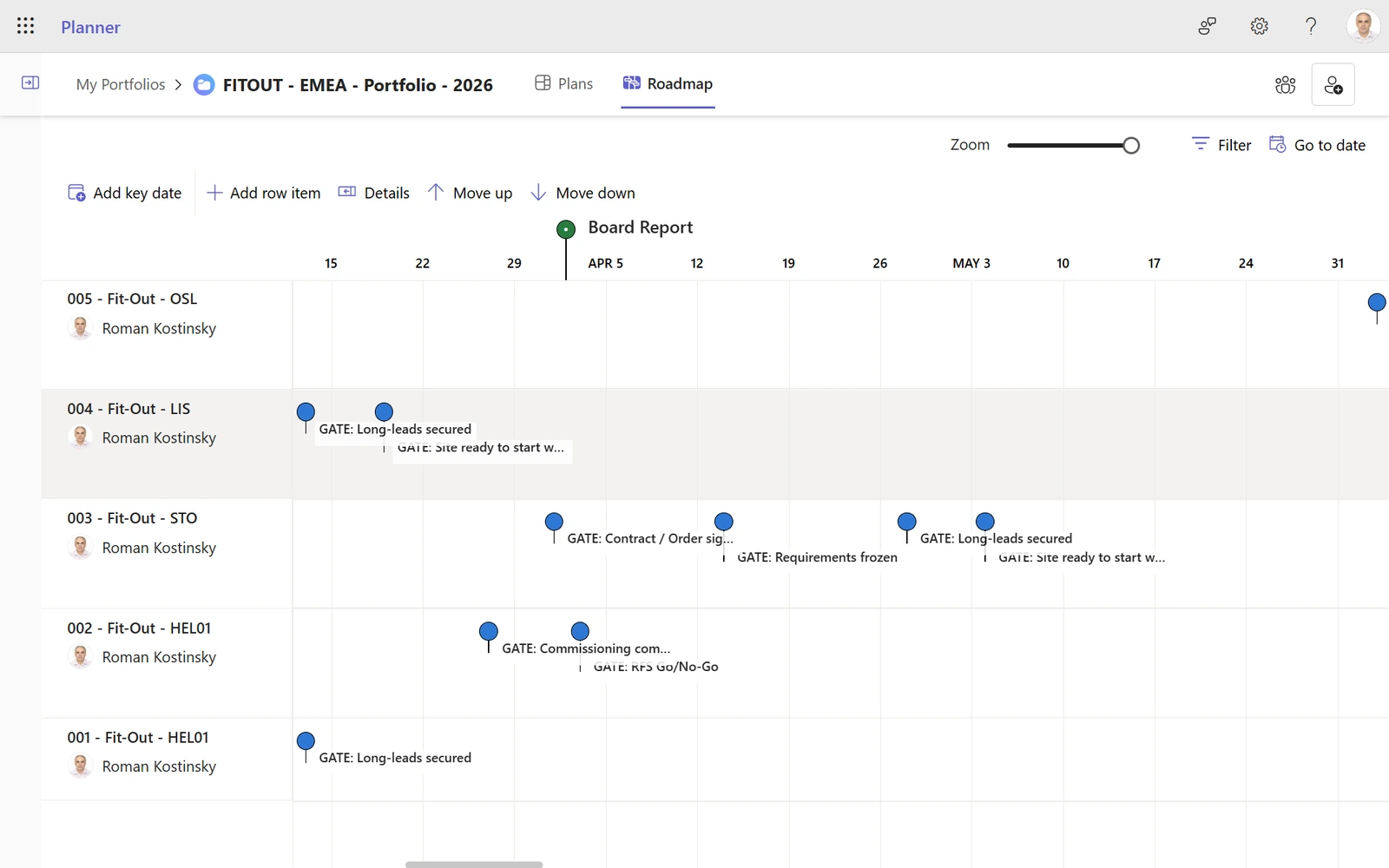
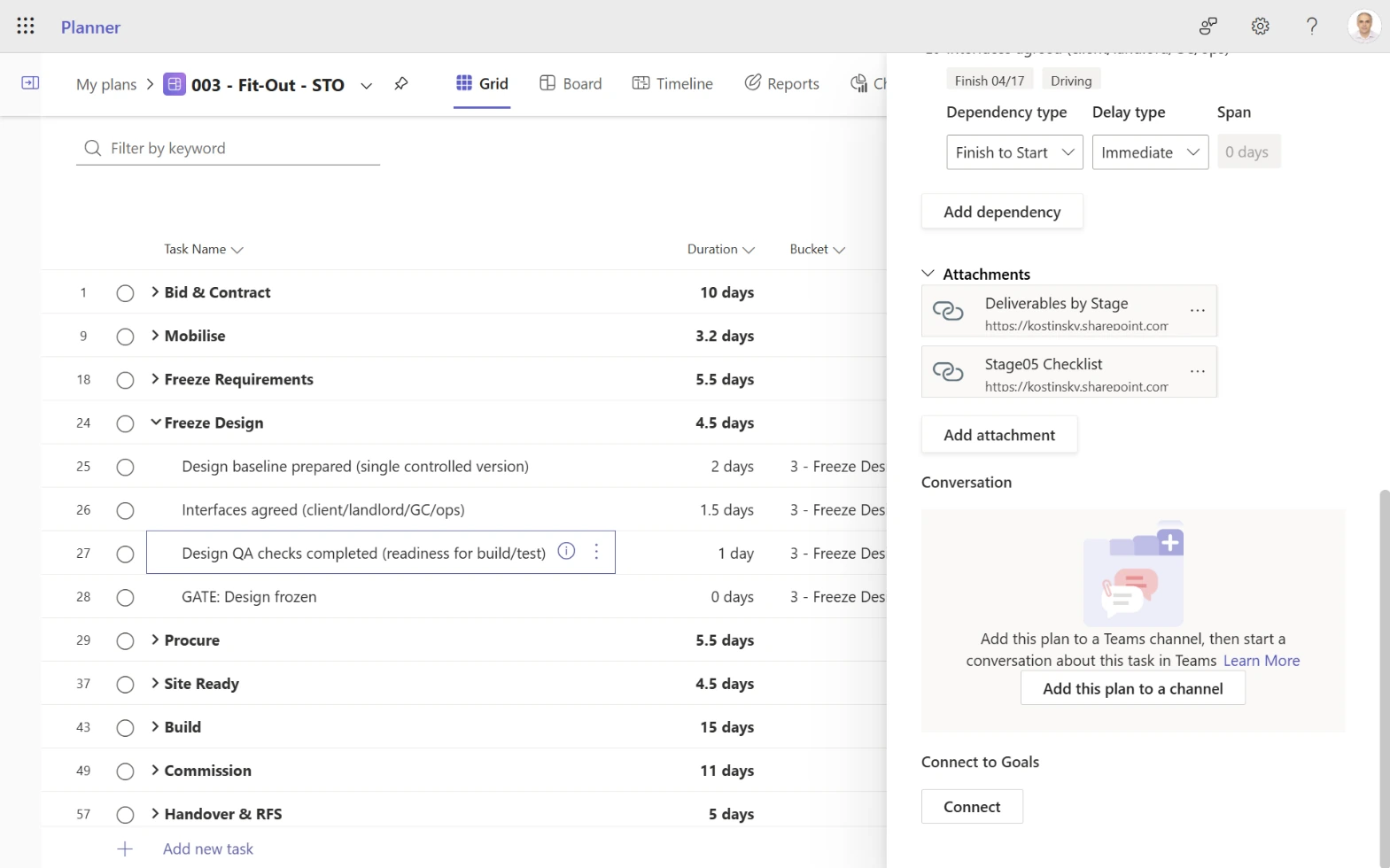
Where useful, Engineering HUB can also connect to Microsoft Planner.
This allows standard plan templates to be copied for each project, with key tasks linked directly to the relevant playbook page, checklist, template, or guidance item. In practice, this helps guide teams to the right method at the right time.
This planning layer is optional. The HUB works without it.
Other supporting add-ons can also be enabled later where they add clear practical value.
How content is organised
Engineering HUB keeps internal working content in one structured SharePoint Online environment.
In practice, the HUB uses three main content types:
Site pages
Guidance pages that explain how work should be done, what requirements apply, and which templates, checklists, or registers to use.
Document libraries
Controlled file libraries for procedures, templates, checklists, reference examples, and other supporting working content.
Registers
Structured SharePoint Lists used for shared control items such as standards, approved materials and equipment, software and tools, decisions, lessons learned, and content feedback.
Each page, file, and register item is assigned clear categories. In SharePoint terms, these are metadata. In practice, they are simple labels that help users find, filter, group, and reuse the right content more easily.
This structure makes the HUB easier to navigate, easier to maintain, and easier to keep consistent over time.
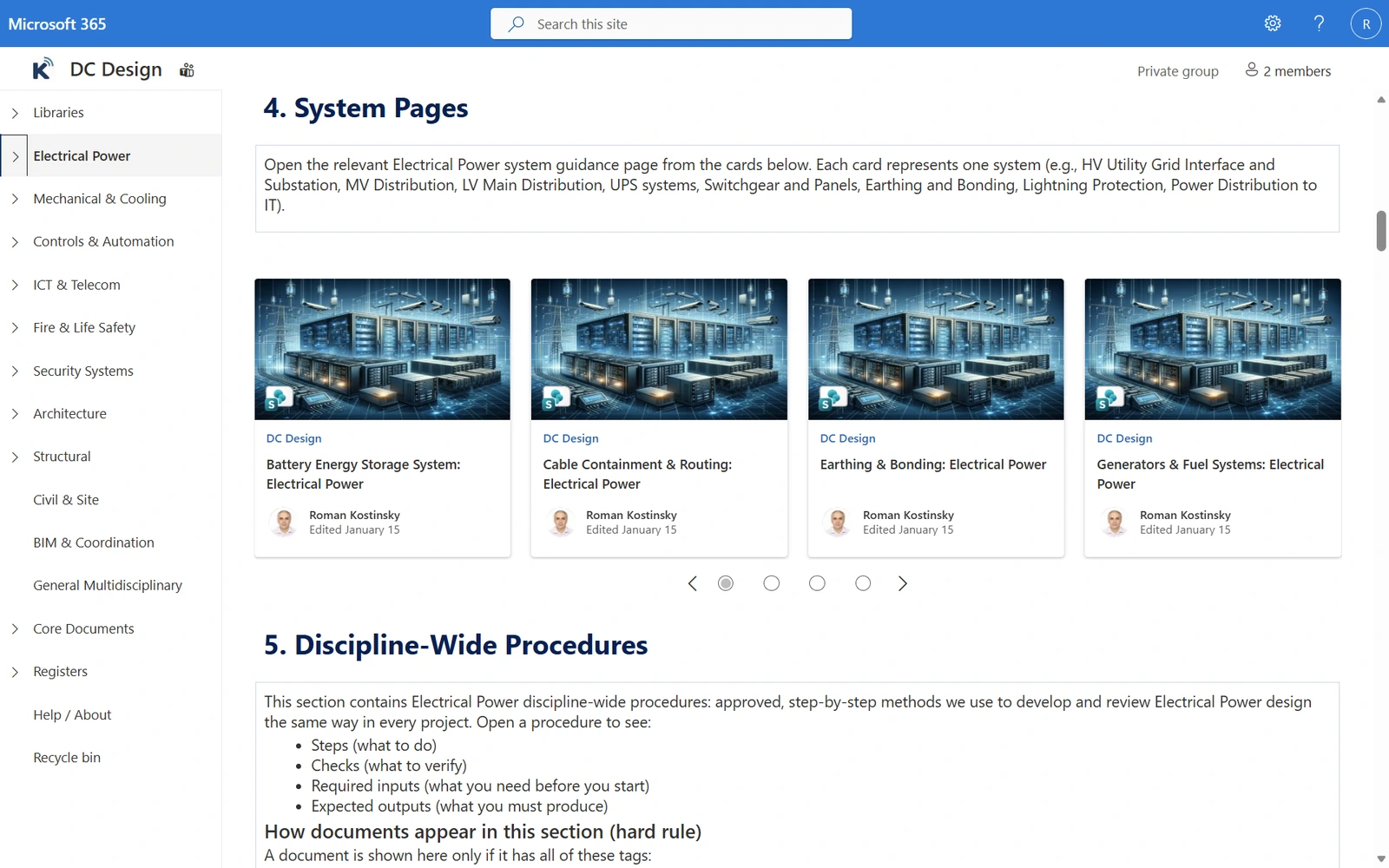
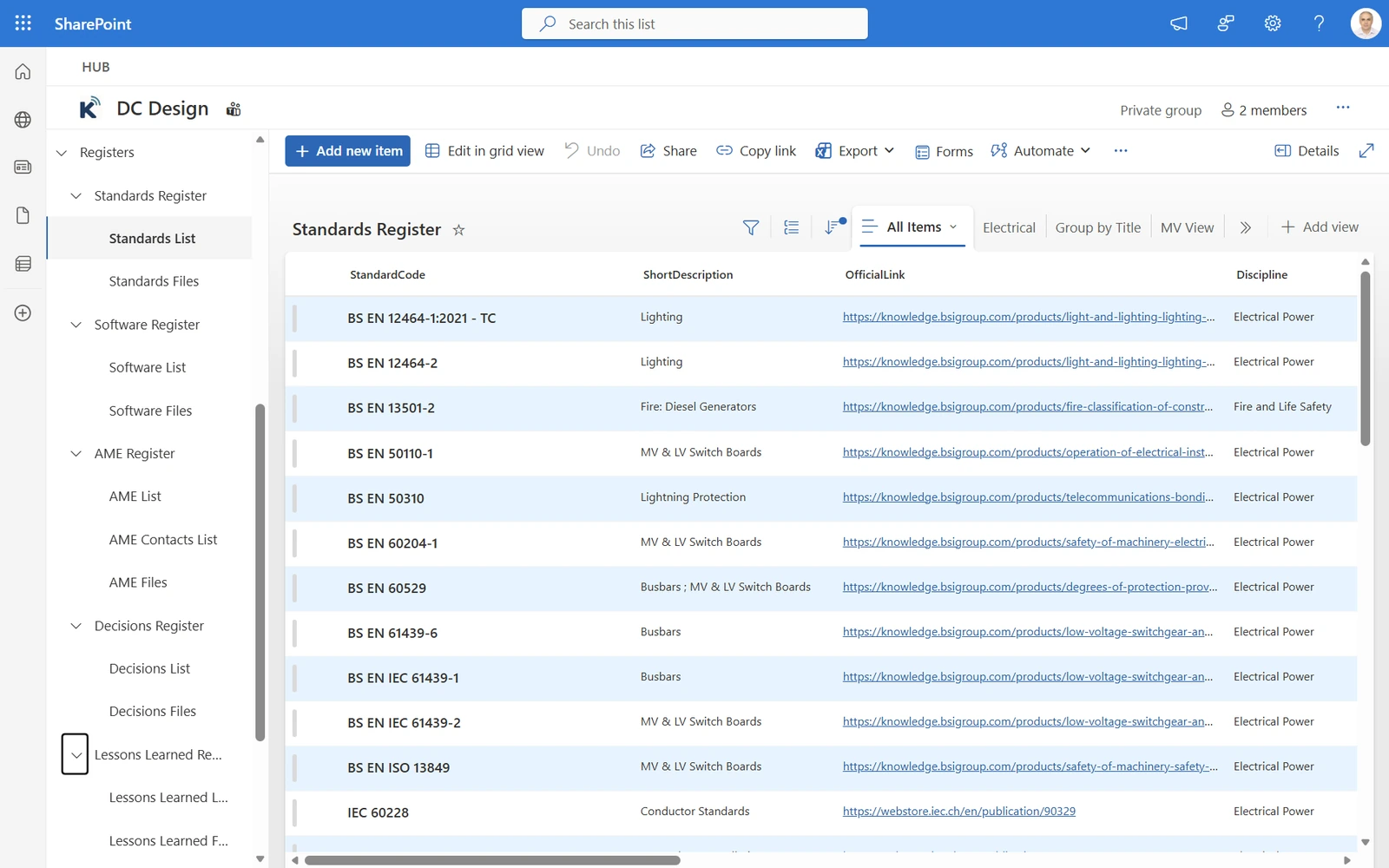
Registers
Registers are structured SharePoint Lists used to manage key shared control items across teams and projects.
Typical registers may include:
- standards
- approved materials and equipment
- software and tools
- decisions
- lessons learned
- content feedback
They give the organisation a clear and controlled way to manage important shared reference and control information in one place.
Categories
Every page, document, and register item in Engineering HUB is assigned clear categories such as:
In SharePoint terms, these categories are metadata. In practice, they are clear labels applied consistently across the HUB.
They make content easier to filter, search, group, and show in the right place, without creating duplicate copies across folders.
Start with one module. Expand later.
Engineering HUB does not need to start as a large programme.
Most clients begin with one module, address the most urgent pain point first, prove value quickly, and then expand step by step using the same foundation.
Even within one selected module, implementation can start with one priority area first — for example, one discipline, workstream, sub-area, or repeatable delivery pathway — and then scale within that same module over time. This keeps the first step focused, practical, and easier to approve.
Typical starting modules include:
A common starting point is DC Design HUB, because design content often becomes reusable core content for other modules.
Where the immediate priority is delivery, handover, or Client Fit-Out / White Space work, organisations often start with Delivery & Commissioning HUB and expand from there.
Why this matters
A well-structured Engineering HUB helps reduce confusion, rework, and wasted time.
It helps teams:
- find the right approved content faster
- work in a more consistent way
- reduce local versions and duplicate copies
- improve ownership and traceability
- onboard new team members more easily
- turn delivery experience into controlled improvement over time
The result is stronger delivery control, better reuse of good existing content, and a more standardised, repeatable way of working — without introducing new software.
Book a short demo
A short demo is the fastest way to see how Engineering HUB works in a real Microsoft 365 / SharePoint Online environment and how it can be applied to your delivery model.